 Coding for Kids
Beginner Coding with Blocks
Welcome to Blockly programming! This platform uses visual block-based programming to teach coding concepts through an interactive game.
Your First Program
To complete this level, drag the move forward block from the Movement category in the toolbox onto the Block Editor.
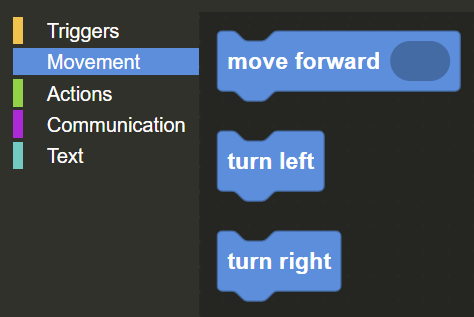
Connect it to the when run block that's already there. The move forward block will make your character take one step forward.
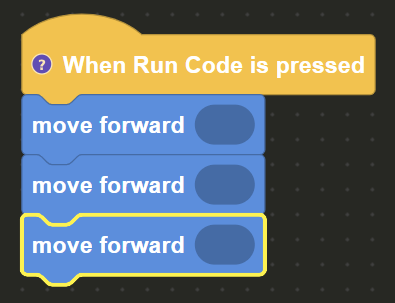
Press the Run button to execute your program and watch your character move!
If you would like to review the blocky workspace again or need any help with a level's exercise, click on the "help" button on the top right of the page.

Code book