 Coding for Kids
Beginner Coding with Blocks
Chapter 5
>
Level 1
Lists can be used to store multiple values in a single place, be it numbers or word strings! This will save you time and space in your code as well as be able to read data in sequences.
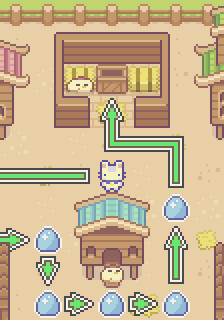
In this exercise, grab all the colored eggs around the barn and store them in a list so you can place them together in a container.
Objective
Grab eggs and populate a list you can store in a container.
Grab the different eggs in the barn, and store them together in a list so you may place them together inside a container.
Lists are like variables that allow you to store multiple values together in a single place. We use same blocks as with variables however we add special list blocks in order to make a list of values.
Grab all the eggs of each color in the field, there are: red, green and blue eggs. Once they are all collected, create variables: red_eggs, blue_eggs, green_eggs by clicking the create variable button in the variables menu.
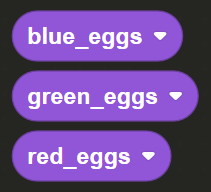
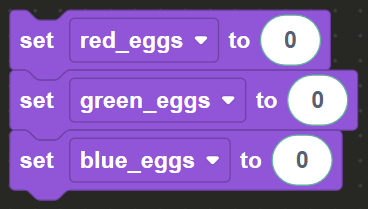
Count how many eggs you've collected of each type and use the set variable block to set the amount to each variable. Drag & drop number bubbles from the Math menu into the set variable block, the number of eggs of each types is displayed on the upper right corner of the screen.
Once all the eggs have been collected and the variables set, make your way to the dark X mark and face the container. Here we will create a list and store all the eggs in a list so they can be put away in the container.
First create a variable named eggs by using the create variable button in the Variables menu. From there, drag and drop the set variable block into the block editor and set it to the eggs variables
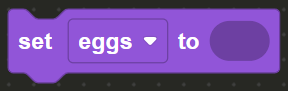
Here is where things deviate, in the Lists menu in the toolbox drag & drop the create list block and place it into the set variable block. In the three slots in the game you insert the three (3) variables you previously created: red_eggs, blue_eggs, green_eggs .
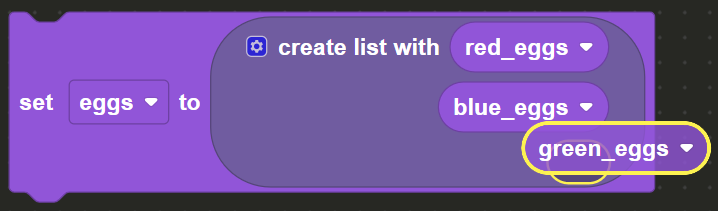
This constructs the eggs list with the three (3) variables, effectively storing three (3) values in a single data structure. Finally use the place block from the Actions menu and add the eggs list in order to place it in the container and complete the level.