 Coding for Kids
Beginner Coding with Blocks
Chapter 3
>
Level 1
Did you know you can add (+), subtract (-), multiply (*) and divide (/) while connecting blocks? Well you can! And in this chapter we're going to teach you how, along with cool ways you can use this feature (operators) and how to apply it to what you've learned.
Let's start off by counting all the animals in the stable using the speak block then adding up all their quantities together using the operators block.
Objective
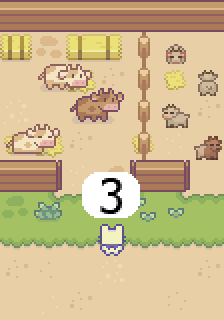
Determine how many animals there are in each stable and add them up to complete the level.
In this stable you will find cows and pigs, determine how many of each animal are located in each pen. There are two variables you need to set up named pigs and cows so they can be modified using the set_variable code block. Create them by pressing the create variable button in the Variables menu in the toolbox.
Walk to the X marks in front of the stables, the first stable has cows, count how many cows are in the stable and set the cows variable to how many there are by using the set_variable code block and inserting the number bubble from the Math menu in the toolbox.
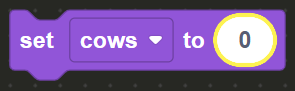
Follow this up by using the Speak code block from the Communication menu in the toolbox and add to it the cows stand alone variable found in the Variables menu in order to announce the quantity.

Walk to the second X mark and do the same for pigs, count how many there in the stable, set the pigs variable on the set_variable code block and set the amount on a number bubble. Use the Speak code block and drag and drop the pigs variable into it in the same manner you previously did with cows.
Walk to the final X mark and face the desk, here we will use the sum + operator.
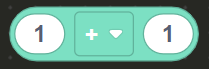
Take a Speak code block and drag it into the block editor. On the Math menu in the toolbox, drag and drop the operators code block and inset it inside the Speak block.
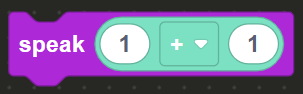
On the Variables toolbox, drag and drop the cows and pigs variables and place them inside the operators code block.
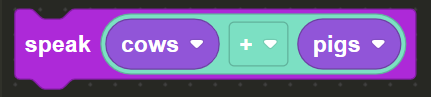
This effectively adds both values you previously set up together , like this: cows + pigs = sum result once the value is displayed on screen the level will be complete.