 Coding for Kids
Beginner Coding with Blocks
Chapter 3
>
Level 3
Objective
Call out the chickens and count how many chickens there are around each coup using text blocks. A coup being the chicken houses seen in the map.
Count how many chickens are around each coup and store the numbers inside variables. In order to keep track of each coup, on the Variables menu, create two variables named: left_coup and right_coup (remember to add the underscore _ )
Populate the variables by using the set_variable block, count the number of chickens on the left chicken coup and use the set_variable block to pair it with the left_coup variable. Add the number of chickens in the coup using a number bubble.
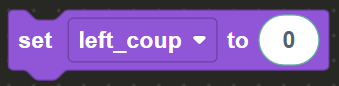
Repeat this same process, using the set_variable block, adding the right_coup variable and using a number bubble to set the number of chickens present in the right coup.
After setting up the variables, head for each of the two (2) X marks in front of each coup and call out the number of chickens around each using the variables. Use the speak block with the create text block to combine text and numbers. To start off, walk to the dark X mark located in front of the left coup.
The create text with block lets you combine multiple pieces of text and variables together. In the Communications menu in the toolbox drag & drop the create text block onto the block editor.
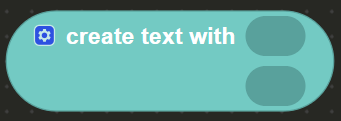
The block has a gear on the top left corner, left click it in order to open a menu and add how many slots to add into the block.
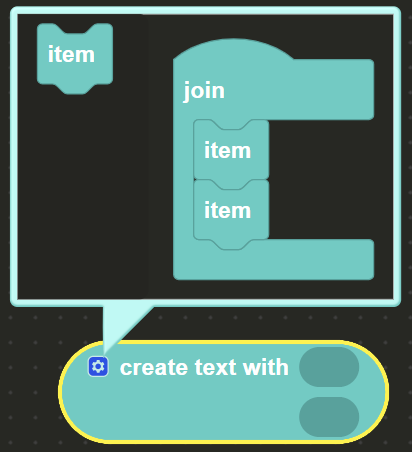
In order to call out how many chickens are in each coup we need three (3) blocks.
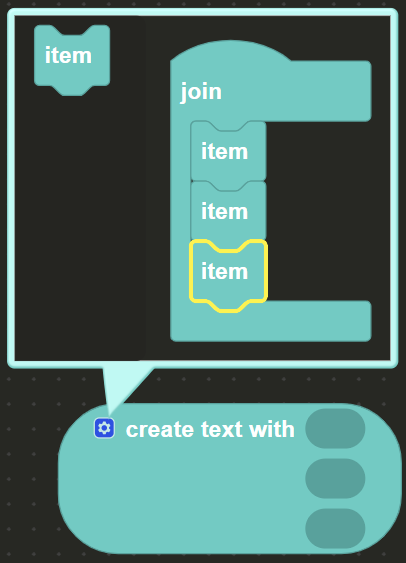
In the slots we will insert two text bubbles and one stand alone variable in order to populate the create text block. First we drag & drop the text bubble code block from the Text menu in the toolbox and write “Left Coup has “ (Make sure the space at the end is present).
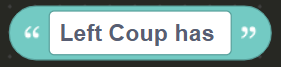
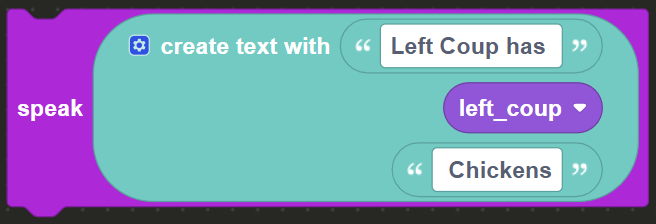
Drag & drop a second text bubble in the same way we did the first, however this time write “ Chickens” (make sure the space at the start is present) and inset it in the last slot. FInally drag & drop the left_coup standalone variable from the Variables menu and insert it in the middle slot of the create text code block. With this your text will form the statement: “Left Coup has [number] Chickens”
Drag & drop the speak block from the Communications menu onto the block editor and inset the create text block you just created into it. A disabled template of this process is in the block editor, you can activate and edit it by right clicking on the speak block and clicking "Enable Block".
Walk to the light X mark on the right hand side and face the coup. Do the exact same thing you did previously with the create text block but this time with the right_coup variable. Insert the text block on the top that reads “Right Coup has ”, in the middle slot insert the right_coup standalone variable and in the bottom slot insert another text block that reads “ Chickens”.
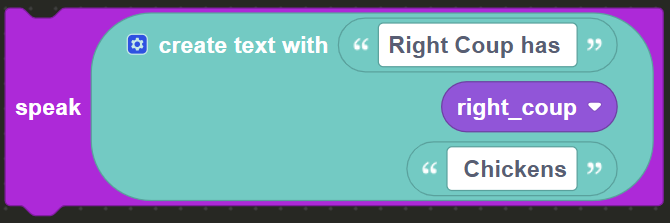
Insert the create text block inside the speak block in order to complete the level.