 Coding for Kids
Beginner Coding with Blocks
Chapter 2
>
Level 5
Objective
Collect planks and store into variables in order to complete level.
The storehouse is a mess, help pick up all these planks scattered about.
To store materials easier you need to use variables, a variable is a name you can assign a value which you can use to more easily address it later on.
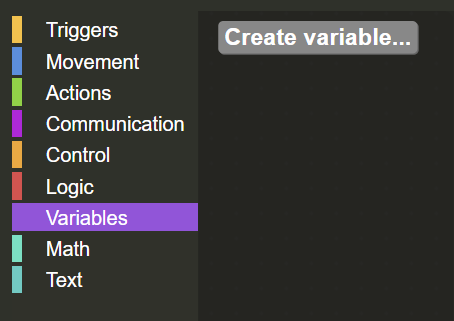
Walk across the map over the planks in order to pick them all up. After collecting all materials, on the Variables menu in the toolbox, create a variable named planks by clicking on the Create variable button.
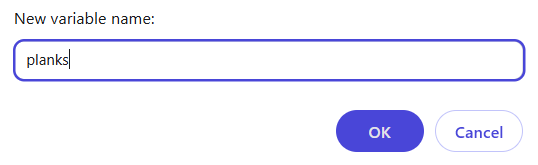
A dialogue at the top of the browser will pop up, there you will enter the name planks to create a variable and unlock code blocks in the Variables menu.
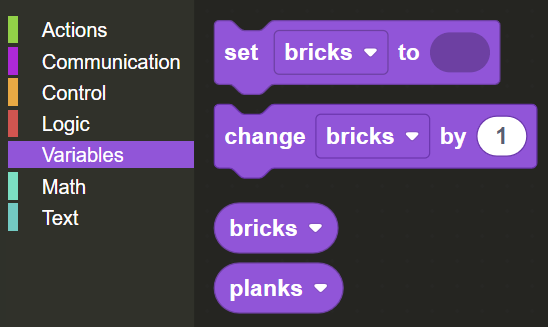
Drag and drop the set variable block from the Variables menu in the toolbox.
On the set variable block, click the dropdown to assign the variable to planks .
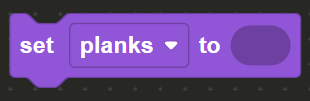
Open the Math menu in the toolbox and drag and drop the number bubble on the top of the menu and place it on the set variable block.
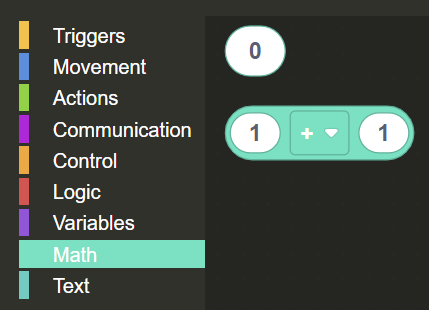
Click on the bubble and set the value to the number of planks you've gathered which is displayed on the top right corner of the screen.
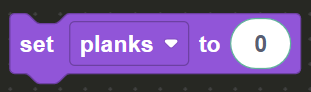
Once this is done you have successfully set the planks variable to the correct value you will complete the level.