 Coding for Kids
Python Development Course
Chapter 5
>
Level 1
Lists can be used to store multiple values in a single place, be it numbers or word strings! This will save you time and space in your code as well as be able to read data in sequences.
In this exercise, grab all the colored eggs around the barn and store them in a list so you can place them together in a container.
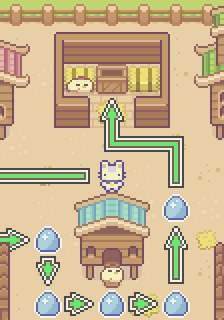
Objective
Grab eggs and populate a list you can store in a container.
Grab the different eggs in the barn, and store them together in a list so you may place them together inside a container.
Lists are like variables that allow you to store multiple values together in a single place. You write it like a normal variable but instead you place [] as the value, like this: mylist = [] . Then add values to it by writing the name of the list and add the function append() to add a value to it, like this: mylist.append(1) . Here is an example:
my_list = []
my_list.append(3) # First value stored in the list is 3
my_list.append(5) # Second value stored in the list is 5
my_list.append(2) # Third value stored in the list is 2

# This code creates a list in this fashion: my_list = [3, 5, 2]
Grab all the eggs of each color in the field and create the variables: blue_eggs, red_eggs, green_eggs. Create a list named eggs , like this eggs = [] , then store inside the variables the eggs you’ve collected of each corresponding type, like this: blue_eggs = 5.
With this set up, you can add the variable to the list using the append() function mentioned above, like this: eggs.append(blue_eggs). Be sure to append them in the same order of color listed above and as provided in the code editor.
Once all eggs are inside the list head for the X mark and place them inside the container using the place() function the same way you would place a variable, like this: player.place(eggs) .