 Coding for Kids
Beginner Coding with Blocks
Chapter 2
>
Level 2
Objective
Enable and disable blocks to reach the exit.
The workspace has all the blocks needed to complete the level, but some are disabled when they should be enabled, and some are enabled when they should be disabled.
Disabled blocks appear dimmed and are not executed.
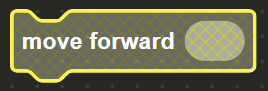
Right-click on blocks to disable or enable them.
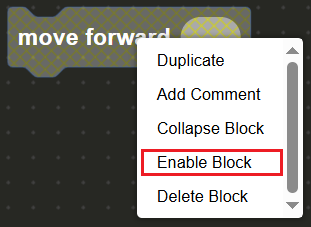
Enable the correct blocks to create the path to the star in order to complete the level.
Aside from enabling and disabling specific blocks, by right clicking a block and pulling up the drop down menu, you are also able to duplicate or delete the block. You are also able to add a comment on a specific block in order to keep tabs on specific parts of the code blocks.
Code book